All you need to know about your AHA e-Card
Note: Keep the Beat or your training center must have issued an e-Card for the instructions below to apply.
Claim your eCard via Email:
- You will receive an email from eCards@heart.org with a link inviting you to claim your eCard online. This link will direct you to the Student Profile webpage; please confirm that all information on that page (First Name, Last Name, Email, Phone Number (if entered for claiming by SMS), eCard Code, AHA Instructor Name, and Training Center information) is correct. If it is not, contact your Training Center.
- Set up your security question and answer.
- Complete the survey on the course you just completed.
- After you complete the survey, your eCard will display. You can save or print your eCard.
- Once your eCard has been claimed, you will receive an email notification; please save this confirmation email for your records.
- Claiming your eCard is the only way you can show proof of course completion to your employer. If you need to email your eCard, please see step 5 under “How to View your Claimed eCard” (link to this answer when building the page).
Claim your eCard via eCards Site:
- Visit the eCards Search page. On the “Student” tab, enter your First Name, Last Name, and Email (ensure this is the email address that was used to sign up for the course) OR enter your eCard Code at the bottom of the page (ask your Training Center for this code). Click “Search.”
- If all the information was entered correctly, you will be brought to a page that shows “My eCards.” Look for your eCard that is “Unclaimed” and follow the steps through the site to claim your card, including setting up a security question and answer. If your eCard cannot be found, contact your Training Center to verify your information.
Claim your eCard via SMS text:
Note: In order for students to opt-in to this service, an Instructor or Training Center must FIRST enter the student’s mobile phone number in the eCards system when issuing an eCard.
- During or after class, (if your Instructor or Training Center has entered your mobile phone number into the eCard system) opt-in to claim/view your eCard by texting “eCard” to the number 51736.
- If the message is sent correctly per the guidance of your Instructor, you will receive instructions via text message on how to claim your eCard.
- If a you attempt to opt-in and your number is not in the system, you will receive a message that your phone number was not found.
How to View your Claimed eCard
- Visit the eCards Search page. On the “Student” tab, enter your First Name, Last Name, and Email (ensure this is the email address that was used to sign up for the course) OR enter your eCard Code at the bottom of the page. Click “Search.”
- Answer your security question.
- If all the information entered is correct, you will be brought to a page that shows “My eCards.” If your eCard cannot be found, contact your Training Center to verify your information.
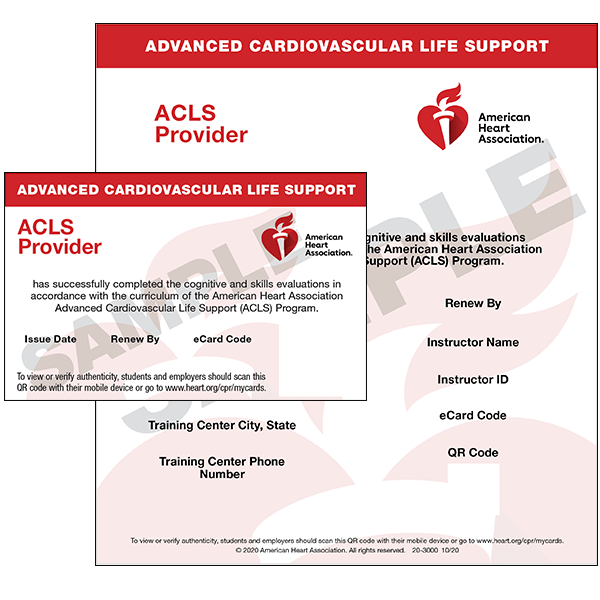
- To download an eCard, select the size you would like (Full or Wallet) where it says, “View eCard.
- To email an eCard, select “Email Cards,” enter the email address, and click “Email.”
How an Employer Can Verify a Student’s Claimed eCard
Note: The student must have claimed their eCard in order for an employer to view it.
- Visit the eCards Search page. On the “Employer” tab, enter the eCard Code (up to 20), and click “Verify.”
- The next page will show the eCard Status of the inputted code(s).
Never miss an important ACLS, BLS, or PALS Recertification Date
Register with Keep the Beat to receive important reminders and valuable technical information about your upcoming skills testing. We’ll keep you informed and also share efficient ways to complete your valuable CPR Certifications current. By registering with Keep the Beat, you will also receive membership benefits that can provide cost reducing benefits to your learning and skills testing.